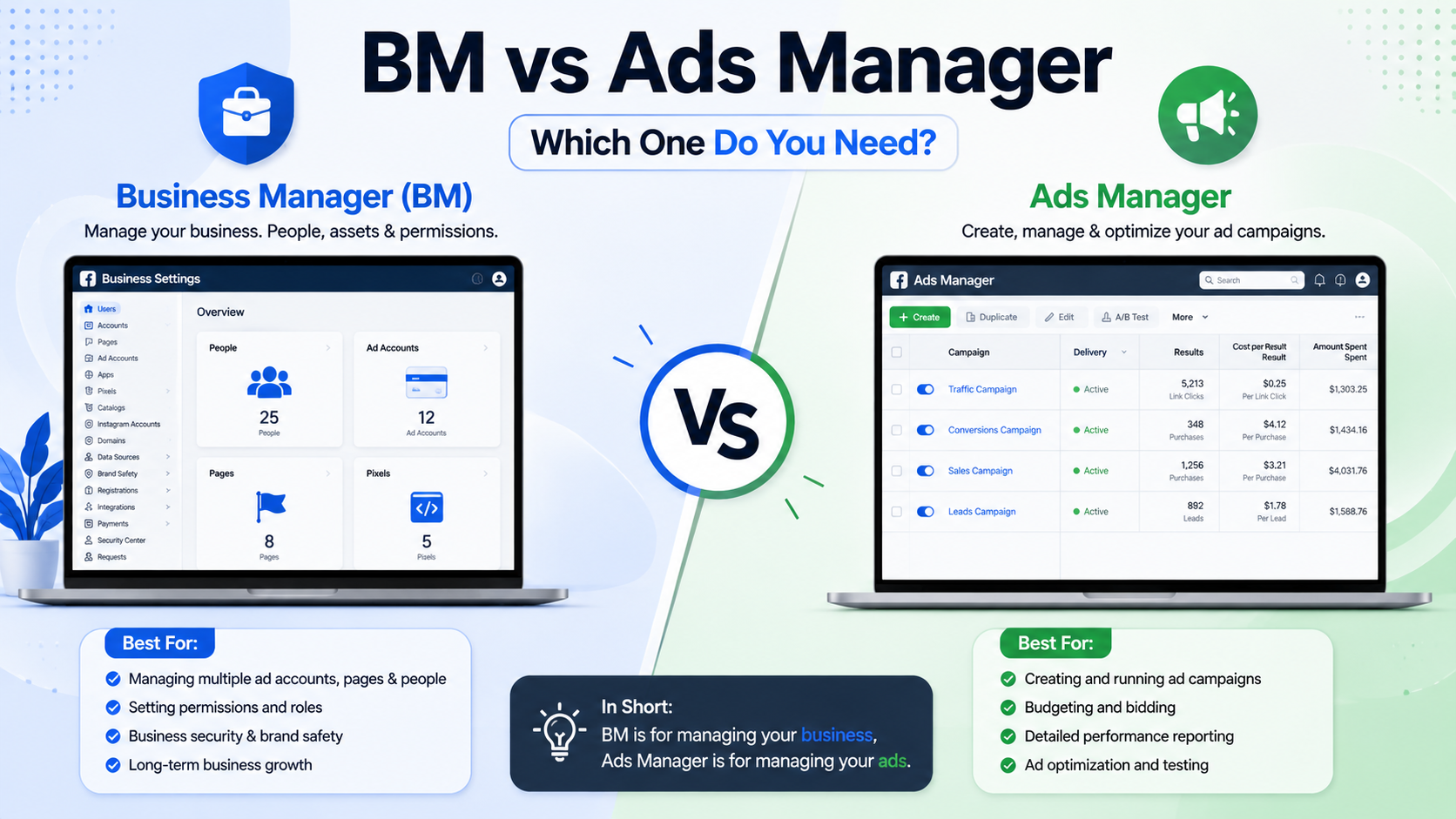
Confusion between these two tools trips up nearly every new advertiser. Some think they're twins wearing different shirts. They aren't. Business Manager and Ads Manager serve wildly different purposes, even though Meta bundles them under one roof.
Let's untangle this mess properly, without the jargon fog that usually surrounds it.
What Business Manager Actually Does
Think of Business Manager as your command center, not your workshop. It houses assets. Pages, ad accounts, pixels, catalogs, and people all live inside this structure. You don't build ads here directly.
Instead, BM handles permissions and ownership. A marketing agency juggling twelve client accounts needs exactly this kind of organizational backbone. Without it, chaos reigns quickly, especially once multiple team members start touching the same assets.
Ownership verification also happens through Business Manager. Meta wants proof that a legitimate business controls these assets, not some random individual with sketchy intentions. Domain verification, business verification, and asset sharing all route through this hub.
Here's something folks often miss: BM doesn't cost anything. Zero dollars, zero cents. It's purely administrative scaffolding sitting above your actual advertising work.
What Ads Manager Actually Does
Now flip the script entirely. Ads Manager is where campaigns get born, tweaked, and eventually laid to rest. Budgets, targeting, creative assets, bidding strategies—this tool handles the operational grind of running ads.
You'll spend most working hours here if you're an active advertiser. Campaign structure lives in three tiers: campaigns, ad sets, and individual ads. Each layer controls something distinct, from objective selection down to which image gets shown to which audience segment.
Reporting also happens inside Ads Manager. Want to check click-through rates or cost-per-result? Pull up your dashboard and dig through columns of data, breakdowns, and custom metrics. Analysts practically live inside this interface during heavy campaign periods.
Unlike its administrative cousin, Ads Manager connects directly to spend. Every dollar burned on a campaign traces back through this tool's reporting layer.
Why People Mix Them Up
The overlap causes genuine confusion, honestly. Both tools sit under the same Meta umbrella and share navigation menus occasionally. Newcomers open Business Manager expecting to launch a campaign and instead find themselves staring at asset lists, completely baffled.
Part of the issue stems from naming conventions too. "Manager" appears in both titles, which subconsciously suggests similar functionality. Reality tells a different story though.
Picture BM as your office building and Ads Manager as your actual desk. You need the building to house everything properly, yet actual work—typing, calling clients, building spreadsheets—happens at your desk specifically. One structure, two very separate functions.
Setting Up the Relationship Correctly
Smart advertisers configure Business Manager first, always. Create your BM account, verify your business identity, then link relevant Pages and ad accounts underneath it. Skipping this step often leads to messy permission structures later, particularly once agencies or freelancers enter the picture.
Once BM exists, Ads Manager becomes accessible through it. You'll select which ad account to work within, then navigate normally through campaign creation flows. Someone unfamiliar with this sequence might waste hours hunting for buttons that simply aren't where expected.
Multiple ad accounts can nest inside a single Business Manager, incidentally. Agencies running client campaigns typically maintain dozens of accounts this way, each isolated from others despite sharing the same administrative shell. Clean separation matters enormously for billing transparency and reporting accuracy.
Permissions: Where BM Truly Shines
Granular access control represents Business Manager's superpower. Assign someone as an admin, analyst, or advertiser depending on their actual role. A junior team member might only need viewing rights for performance data, whereas a senior strategist requires full editing capability across campaigns.
Ads Manager itself offers no such nuance. It simply displays whatever permissions Business Manager has already granted beforehand. Change access levels, and Ads Manager reflects those changes instantly, almost like a mirror obeying its master.
Client relationships benefit tremendously from this arrangement, frankly. Agencies can grant temporary access without ever handing over full account ownership, protecting both parties from accidental mishaps or disputes down the road.
Common Mistakes Worth Avoiding
Plenty of advertisers skip Business Manager altogether when starting out, running ads through personal profiles instead. This approach works initially but crumbles fast once scaling begins. Personal accounts lack proper safeguards, verification tools, and multi-user support that serious campaigns eventually demand.
Others create BM accounts yet neglect proper structure, dumping every asset into one disorganized pile. Six months later, nobody remembers which pixel belongs to which client, and untangling that mess consumes days rather than minutes.
A cleaner strategy involves naming conventions from day one. Label ad accounts clearly, tag Pages consistently, and document ownership somewhere accessible. Future headaches shrink dramatically when present-day organization stays disciplined.
Bottom Line
Business Manager governs structure, ownership, and access. Ads Manager governs execution, spend, and performance tracking. Neither tool replaces the other, yet both remain essential for anyone running serious campaigns on Meta's platforms.
Grasp this distinction early, and workflow headaches shrink considerably. Confuse them, and you'll waste countless hours searching for features that were never meant to exist where you're looking.